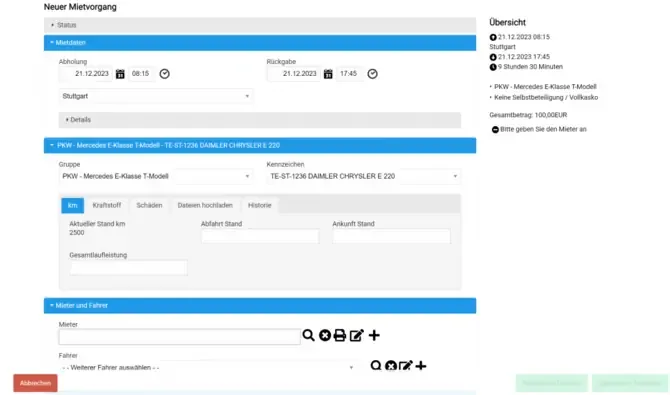
With Bookyt, you can manage your fleet or vehicle pool digitally. To make this possible, a few adjustments to your organizational workflow are required. Your employees can book their vehicles via the booking frontend, or you can manage this centrally through your occupancy plan.
Block Rental Items
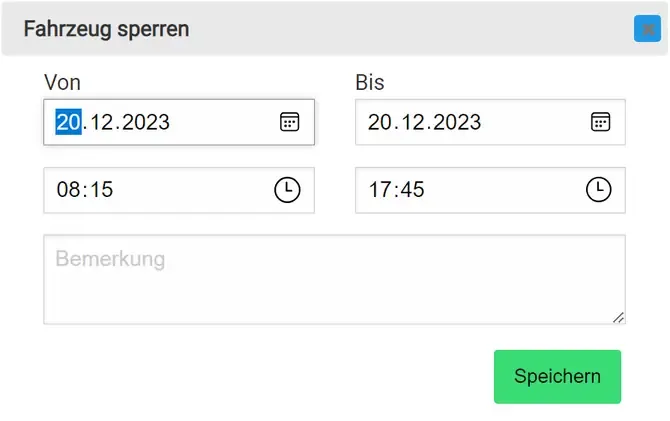
You can block rental items for specific periods. This may be necessary for workshop appointments, service appointments, or other reasons. Here is how it works:
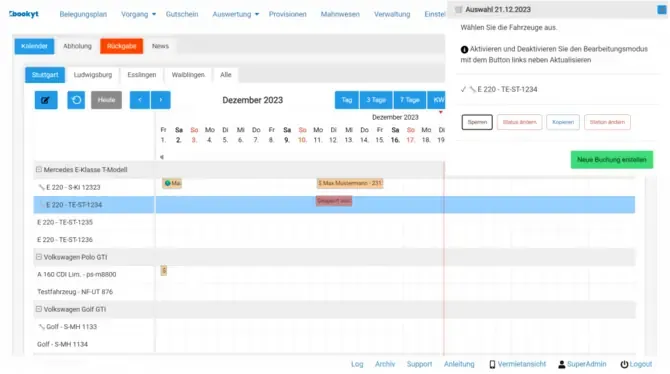
- Select the rental item on the timeline in the occupancy plan.
- Define the period to be blocked.
- Optionally enter the reason for the block in the free-text field.
- Save your entries by clicking the button.
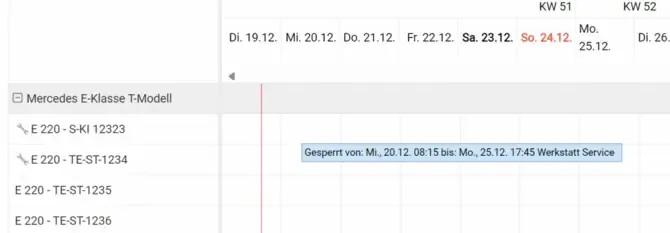
The rental item is immediately marked as blocked in the occupancy plan and is no longer available during the affected period.
Create a New Booking
To create a new booking, proceed as follows:
- In the occupancy plan, click the relevant vehicle on the timeline.
- A popup opens where you select “Create new booking”.
- The booking form opens with the pickup time, date, and vehicle already preselected.
- Fill in the required fields and save the process.
The employee automatically receives all necessary documents, such as reservation confirmations and invoices.
Create a New Rental Process
When the booking is picked up, follow the regular pickup process in the backend or in the Bookyt app.
If you have any questions about “Digital Fleet Management”, Bookyt Support is always available to help. Contact us at: service@Bookyt.de