
Setting Up DATEV Export
For DATEV export, the relevant accounting data must be maintained in Bookyt. This includes, in particular, the reporting and analytics extension, revenue accounts, and assignment to categories or items.
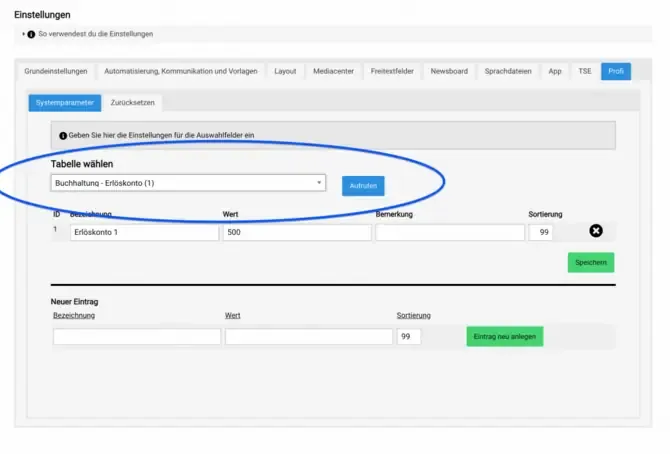
Preparing DATEV Export
- Activate the Reporting and Analytics extension under Administration → Account.
- Enter your revenue accounts under Settings → Advanced → Revenue Accounts.
- Assign the revenue accounts to the rental categories under Administration → Categories.
- If needed, also assign the revenue accounts to individual sales items under Administration → Items.
- Create the first export under Statistics → Accounting.
Before running the first production export, check that accounts, tax rates, and cost centers have been entered completely.