
To connect PayPal, you need a PayPal business account and access to the PayPal Developer area. This is where you create the required live credentials.
Open Apps and Credentials
Log in to the PayPal Developer area at developer.paypal.com and open “Apps & Credentials”.
Important: Set the environment to “Live” so that usable live keys are generated.

Create an App in PayPal
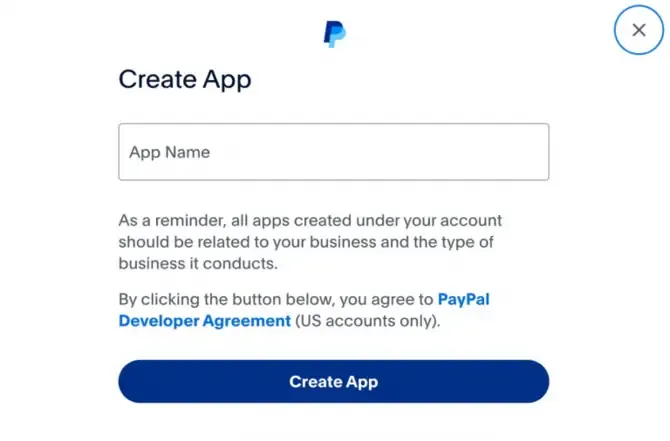
Click “Create App” and enter a name for the app. The name is only for orientation and does not affect the technical functionality.
Copy PayPal Keys
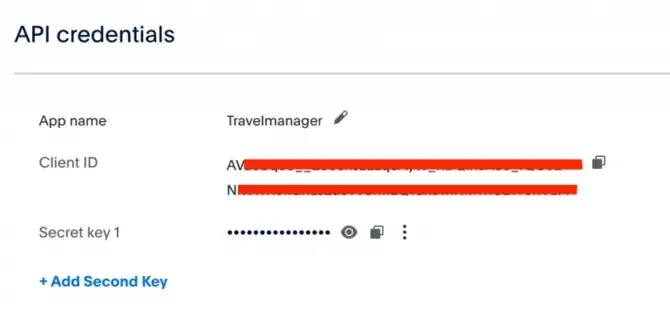
After creation, PayPal displays the Client ID and the Client Secret. You need both values to connect PayPal in Bookyt.
Enter PayPal Keys in Bookyt
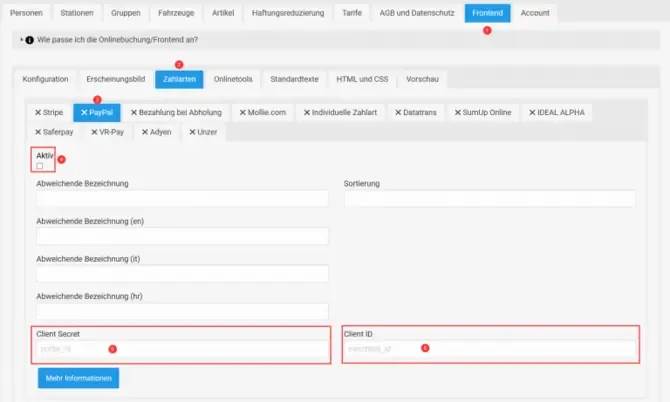
In Bookyt, open “Administration” → “Frontend” → “Payment Methods” → “PayPal”. Enable the payment method, enter the Client ID and Client Secret, and save your entries.