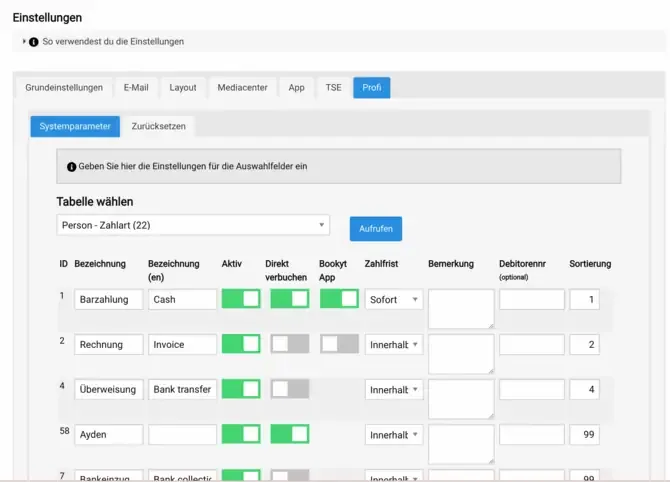
In Bookyt, you can define which payment types are available in the app. This allows you to control which payment methods are offered at pickup or return.
Enable Payment Types
- Open the settings in the backend.
- Go to “Pro” → “Person”.
- Open the “Payment Types” section.
- In the “App” column, enable or disable the payment types you want.
Typical payment types include SumUp, EC card, or Cash payment.