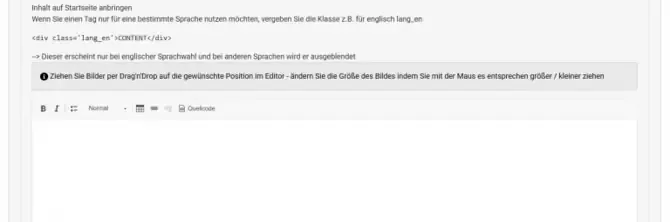
You can display custom informational notices on the frontend homepage. This is useful for seasonal information, changed opening hours, or important notes before booking.
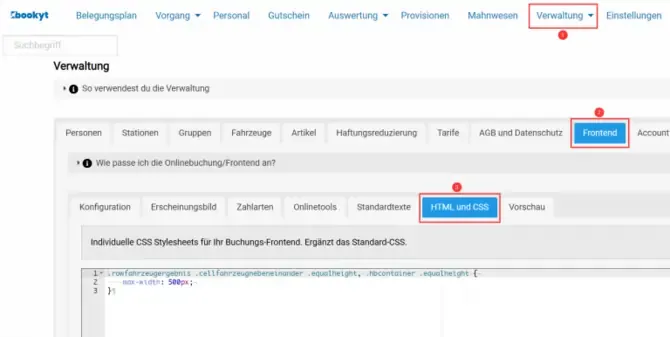
To do this, open Administration → Frontend → HTML and CSS and scroll to the relevant input field. There, you can add the content either using the editor or as source code.
Customize the Notice Text
- Open Administration → Frontend → HTML and CSS.
- Find the field for the notice text on the homepage.
- Insert the desired text.
- Save your changes.
After saving, the notice will be displayed in the frontend.