
If you want to combine several similar rental items in the frontend, you need collective booking enabled. This is useful, for example, when customers first select a category or size and Bookyt then calculates the appropriate availability.
Enable grouping
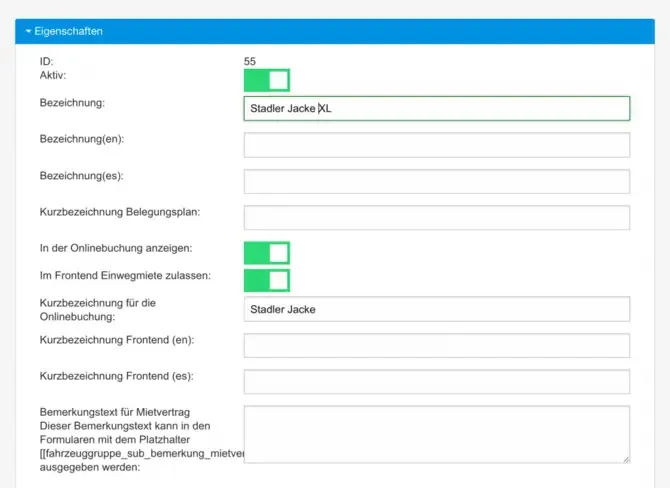
Open Administration → Groups and activate the highlighted entry for the main group. In the Label field, enter the text that should appear in the online booking selection field.
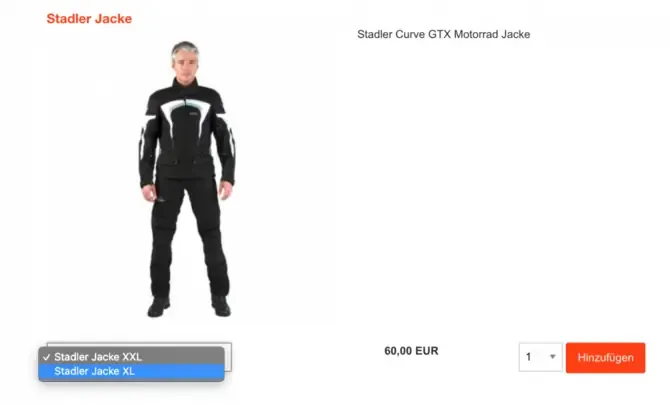
In the Short label field, enter the text under which the individual rental items should be grouped. In online booking, the grouped entries appear in one cell. After the size is selected, Bookyt calculates the available quantity and the appropriate price in the background.

Settings for vehicle groups
Use the group settings to control how rental items are displayed and combined in the frontend. This makes the selection clearer for customers.
Group items
Group items according to criteria that are easy for your customers to understand, such as size, category, model, or equipment.