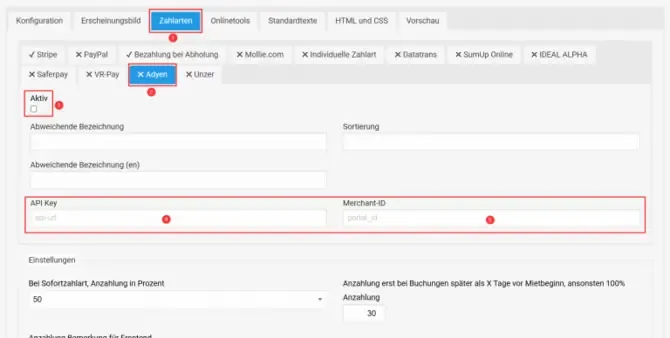
With Adyen, you can receive online payments in Bookyt. To set up the connection, you need an Adyen business account, an API key, and a Merchant ID.
Requirements
- active Adyen business account
- access to the Adyen dashboard
- API key
- Merchant ID
Set up Adyen in Bookyt
- If needed, register for an Adyen account at adyen.com.
- After activation, log in to the Adyen dashboard.
- Create or copy the API key and Merchant ID.
- In Bookyt, open “Administration” → “Frontend” → “Payment methods” → “Adyen”.
- Enter the API key and Merchant ID in the designated fields.
- Activate the Adyen integration.
- Save your entries.