
Adjusting the Salutation in Settings Adjust Settings
Adjust settings
To adjust the salutation in your profile, navigate to Settings and select the Profile section. There you will find the Person Salutation option. Here you can view the current salutation and change it if needed.
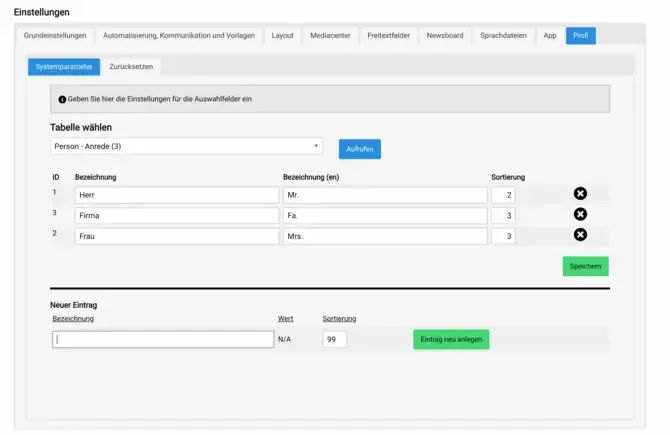
If you would like to add a new salutation such as Diverse, simply click the corresponding button. A selection field will open where you can choose the desired salutation options. Be sure to save your changes to ensure that your salutation is updated.
In addition to adding new salutations, you can also change existing ones. Select the salutation you would like to adjust and enter the new label. This feature allows you to customize your salutation and adapt it to your needs. This ensures that your communication is always respectful and correct.