
Deactivate employees in the administration system
Administration system
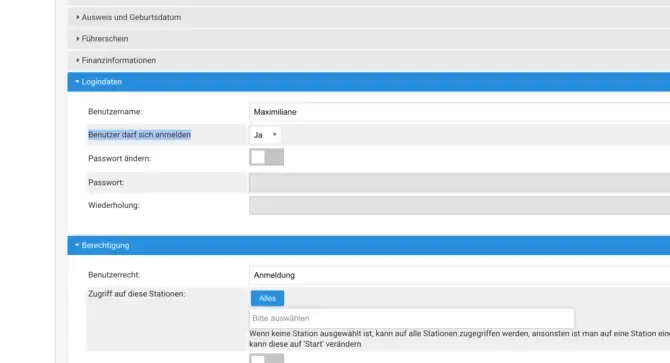
To deactivate an employee in the administration system, follow these simple steps:
- Navigate to Administration.
- Select People.
- Use the search form to find the relevant employee.
- Click Edit.
- Set the User may log in selection field to No.
This measure prevents the employee from continuing to log in to the system and ensures clear management of access rights.