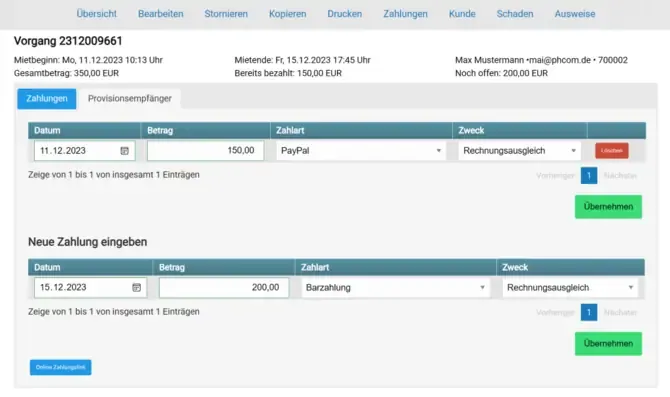
If a customer reserves a rental item with you and the payment or a partial amount is still outstanding, you can send an automated payment link. This link takes the customer directly to your booking page, where they can pay the remaining balance.
Send an Automated Payment Link
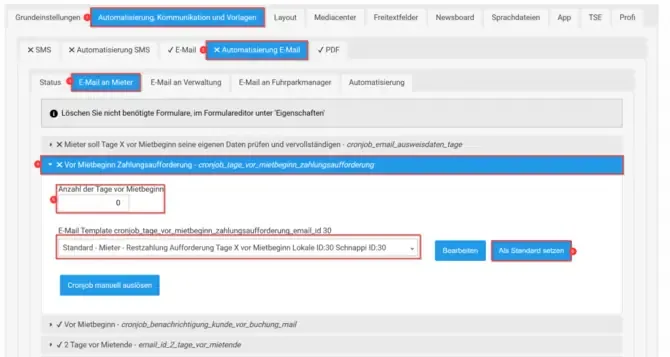
To send the payment link automatically, you need the “Automation” extension. Go to your settings and follow these steps:
- Select the standard form from the form selection: Final Payment Request X Days.
- Set it as the default.
- Depending on the value entered in the field above, the request will be sent X days before the rental begins.
- If you want to trigger the message immediately, click the Trigger Cronjob Manually button.
Send a Payment Link Manually
If you want to send the payment link manually, open the relevant transaction via the occupancy plan. In the Payments tab, if there is an outstanding balance, you will find the payment link highlighted in blue. You can simply copy and paste it into an email and send it to your customer.